An easy way to create Loading Bar!

“People count up the faults of those who keep them waiting”
Seems like I kept them busy decoding this loading bar 😀

Recently, while browsing I landed on a page on StackOverflow.com where people were discussing how I implemented this loading bar on www.iogoos.com I could sense a lot of confusion in the discussion so thought I would take the mystery out as I love to share best practices. Here’s how you can create a loading bar in a few steps…

Things You’ll Need

  1. A nice loading image: If you are good at creating animated GIF images that are nice, otherwise you can create a loading image with this cool Ajax Loading Gif Generator.
  2. jQuery: We are creating this loading bar using jQuery so download the jQuery latest version here.

jQuery Code within <head>..</head> tags

<script type=text/javascript src=jquery.js></script>
<script type=text/javascript>
$(window).load(function(){
      $("#loading").hide();
})
</script>

HTML Code within <body>..</body>tags

<div id="loading">
    Loading content, please wait..
    <img src=loading.gif alt="loading.." />
</div>

Make sure you add this code just below the starting <body> tag so it should be downloaded first.

CSS Code for loading DIV

#loading {
    position:absolute;
    width:300px;
    top:50px;
    left:50%;
    margin-left:-150px;
    text-align:center;
    padding: 10px;
    font:bold 11px Arial, Helvetica, sans-serif;
    background: #222222;
    color: #ffffff;
}

Use your imagination and create something nice & unique.

Your comment, suggestion, and feedback are highly appreciated. There’s more to come to stay tuned…

Contact Us

Check Our Portfolio

How to read minified CSS with ease?

Today we have a quick tip for those who feel depressed and cry when they see the holy grail of CSS in one single line in their website/theme stylesheets.

Recently I started hearing from a lot of people complaining about their theme developers using minified CSS in their themes for maximizing performance without any consideration for their ease of use/customization. People keep asking me if there are tools that convert minified CSS back to normal human-readable form and recently someone even asked me to do a job – normalize some minified stylesheets (of course I didn’t do it and rob him off!)

Whether or not developers should minify CSS when giving out themes/websites has been a subject of debate for a long time but why developers choose to minify some parts of their stylesheets has often been overlooked. Performance issues for larger projects, minifying the reset styles (you don’t have to change them anyway!) and non-developer license are just some of the reasons!

Anyway, coming back to the subject of this post – How can you read minified CSS with ease?
(No, we are not going to install any 3rd party software!)

Simply validate the CSS (only the minified part if you have other files attached as well) in question using the W3C’s CSS Validation service!

The output of the validation check is:

  1. whether or not, your CSS validates to standards set by W3C.
  2. Normal, Properly Formatted, and Easily Readable version of your minified/compressed CSS

Do you need to keep the formatted and decompressed CSS? Just copy it from the validation output and replace your version. Voila!

Contact Us

See Our Portfolio

An easy way to create a light-box with jQuery & CSS

As you already know that I’ve been working on improving the performance of my website and I needed a simple solution to create a light-box effect for Live-Chat on this website. I had many options to choose from available jQuery plug-ins however, the idea was to optimize the code with minimal use of heavy third-party scripts and CSS. Moreover, the only thing I needed was a light-box effect without any other functionality.

So I created the light-box effect with a few lines of code using CSS and jQuery.

Let’s start coding 🙂

xHTML Code

Place this code within <body></body> tags where ever you like.

<a id="show-panel" href="#">Show Panel</a>
<div id="lightbox-panel">
<h2>Lightbox Panel</h2>
You can add any valid content here.
<p align=center><a id="close-panel" href="#">Close this window</a></p>

</div>
<!-- /lightbox-panel -->
<div id="lightbox"></div>
<!-- /lightbox -->

The first line of the above code is a link with id “show-panel” which will display the “light-box” and the “lightbox-panel” DIVs, similarly, on line 7 we have a link with ID “close-panel” to hide these DIVs. This will be handled by jQuery of course.

#lightbox-panel will hold the content to be displayed and #lightbox will add a transparent background behind our content panel. Let’s write some CSS code to stylize these two DIVs before we add the functionality to our links with jQuery.

CSS Code

You can add this code within the document’s <head></head> tag or in any linked style sheet.

* /Lightbox background */
#lightbox {
  display:none;
  background:#000000;
  opacity:0.9;
  filter:alpha(opacity=90);
  position:absolute;
  top:0px;
  left:0px;
  min-width:100%;
  min-height:100%;
  z-index:1000;
}
/* Lightbox panel with some content */
#lightbox-panel {
  display:none;
  position:fixed;
  top:100px;
  left:50%;
  margin-left:-200px;
  width:400px;
  background:#FFFFFF;
  padding:10px 15px 10px 15px;
  border:2px solid #CCCCCC;
  z-index:1001;
}

Note: The z-index value for #lightbox-panel should be greater than the z-index value of #lightbox to display it above the transparent background and both should have the property display as none so they should not show up by default or if the users have Javascript disabled in their browsers.

Let’s put some life to our code with jQuery.

jQuery Code

You can add this code within the document’s <head></head> tag and we are done.

$(document).ready(function(){
  $("a#show-panel").click(function(){
    $("#lightbox, #lightbox-panel").fadeIn(300);
  });
    $("a#close-panel").click(function(){
    $("#lightbox, #lightbox-panel").fadeOut(300);
  })
});

Pretty simple, huh!!

Could it get easier than this?

Once you click the link with ID “show-panel” it will display both the DIVs with some nice fade effect and if you click the link with ID “close-panel” it will hide these DIVs.

I hope you enjoyed this little trick to create the simple light-box effect with CSS and jQuery You are most welcome to share your inputs and code in the comments below.

Contact Us

See Our Portfolio

An easy way to create a login panel with jQuery and CSS

Among many studies conducted to find out just what influences people’s perception of a website’s credibility, one interesting finding is that users really do judge a book by its cover… or rather, a website by its design.

Rapid changes in design trends are driving focus towards its usability. More and more features are being zipped into a plain and simple design for users to get bountiful results without spending more than a jiffy. The back-end coding is the key device to achieve this simplicity in design.

Keeping this mind, I’ve designed a small script to introduce a sliding login box into your website, just as you see in Twitter login page. The script comprises jQuery & CSS techniques to display this arty feature. Checkout the code below and try it yourself or simply download the ready to use files.

HTML

<div id="demo-header">

	<!-- Code for Login Link -->
	<a id="login-link" title="Login" href="#login">Clients Area</a>

	<!-- Code for login panel -->
	<div id="login-panel">
		<form action="" method="post">
			<label>Username: <input type=text name=username value="" /> </label>
			<label>Password: <input type=password name=password value="" /> </label>
			<input type=submit name=submit value="Sign In" /> <small>Press ESC to close</small>
		</form>
	</div>

</div>

CSS

<style type=text/css>

    a{text-decoration:none;}

    #demo-header{
        width: 980px;
        margin: 0 auto;
        position: relative;
    }
    #login-link{
        position: absolute;
        top: 0px;
        right: 0px;
        display: block;
        background: #2a2a2a;
        padding: 5px 15px 5px 15px;
        color: #FFF;
    }
    #login-panel{
        position: absolute;
        top: 26px;
        right: 0px;
        width: 190px;
        padding: 10px 15px 5px 15px;
        background: #2a2a2a;
        font-size: 8pt;
        font-weight: bold;
        color: #FFF;
        display: none; 
    }
    label{
        line-height: 1.8;
    }
</style>

jQuery

<script src=//ajax.googleapis.com/ajax/libs/jquery/1.11.0/jquery.min.js></script>
<script type=text/javascript>

	// jQuery to apply actions to the link
	$(document).ready(function(){
	    $("#login-link").click(function(){
	        $("#login-panel").slideToggle(200);
	    })
	})

	//jQuery to apply actions to the ESC key
	$(document).keydown(function(e) {
	    if (e.keyCode == 27) {
	        $("#login-panel").hide(0);
	    }
	});

</script>
Contact Us

See Our Portfolio

WordPress Themes & Why You Should Have Unique Design

When you have a website or blog you want to stand out from all the other websites, which is why having a good WordPress theme that sets you apart is so critical. There are millions of websites that are run using WordPress and with that, there are many themes out there that are being used many times over. This can cause your website to look like many other websites if you are using one of the standard themes out there.

If you can find a theme or someone to create a WordPress theme for you that is unique, you will be one step ahead in terms of branding and making your website stand out. Free WordPress themes are not the best way to go because anyone can have the same exact design as you. Not only will it not stand out to your visitors, but search engines as well. If someone comes across your website and they have seen that design before, they may think twice about visiting your site again.

The search engines will also see your site as the same as many other websites on the web. This can play a role in your website ranking well for any keywords that you want to be ranking for. Search engines have been cracking down on all the non-unique, or otherwise spam-type websites. One way that the search engines will see your site as a spam site is the design and layout. If your website is the same as millions of other websites, they will automatically put your website on hold until it creates some authority.

In conclusion, the best way to create brand equity and build a brand for yourself or your company is to have a unique design. Visitors and search engines will see your website as a legitimate source for quality information or products.

contact us

Check Our Portfolio

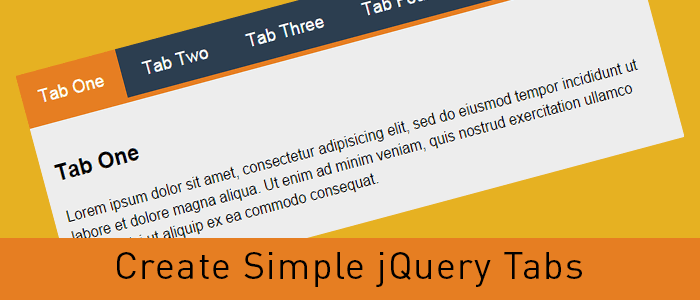
An easy way to create Tabbed Content with jQuery & CSS

Tabbed content is a great way to handle a lot of information on a page without loosing usability and it provides a great user experience as well. Here’s a real easy way to create tabbed content with jQuery and CSS.

Let’s create tabbed content with jQuery and CSS

Step 1: Include the jQuery library

<script src=//ajax.googleapis.com/ajax/libs/jquery/2.0.0/jquery.min.js></script>

I’ve used the latest version of the Google-hosted jQuery library, however, you can always download the script and host it on your server.

 Step 2: Write some HTML code

<div >
    <ul >
      <li data-tab="tab-1">Tab One</li>
      <li data-tab="tab-2">Tab Two</li>
      <li data-tab="tab-3">Tab Three</li>
      <li data-tab="tab-4">Tab Four</li>
    </ul>
    <div id="tab-1" >
      Lorem ipsum dolor sit amet, consectetur adipisicing elit, sed do eiusmod tempor incididunt ut labore et dolore magna aliqua. Ut enim ad minim veniam, quis nostrud exercitation ullamco laboris nisi ut aliquip ex ea commodo consequat.
    </div>
    <div id="tab-2" >
      Duis aute irure dolor in reprehenderit in voluptate velit esse cillum dolore eu fugiat nulla pariatur. Excepteur sint occaecat cupidatat non proident, sunt in culpa qui officia deserunt mollit anim id est laborum.
    </div>
    <div id="tab-3" >
      Ut enim ad minim veniam, quis nostrud exercitation ullamco laboris nisi ut aliquip ex ea commodo consequat. Duis aute irure dolor in reprehenderit in voluptate velit esse cillum dolore eu fugiat nulla pariatur.
    </div>
    <div id="tab-4" >
      Sed do eiusmod tempor incididunt ut labore et dolore magna aliqua. Ut enim ad minim veniam, quis nostrud exercitation ullamco laboris nisi ut aliquip ex ea commodo consequat.
    </div>
</div><!-- container -->

In the above code I’ve created an unordered list which will act as tabs and I’ve used a custom attribute named data-tab and set its value to tab-1, tab-2 and so forth. We will use the data-tab attribute in our jQuery script to toggle the “current” class to hide and display our tabs.

Below the unordered list, there are a few DIV elements with ID attribute same as the data-tab attribute we used in the unordered list. This will do all the magic. Before adding the magic script, lets write some CSS to stylise our HTML Unordered list and content panels.

I’ve added “current” class to the first elements and we will play with the current class to stylise the active tabs and toggle the data content div element.

Step 3: Write some CSS to style the HTML

body{
	margin-top: 100px;
	font-family: 'Trebuchet MS', serif;
	line-height: 1.6
}
.container{
	width: 800px;
	margin: 0 auto;
}

ul.tabs{
	margin: 0px;
	padding: 0px;
	list-style: none;
}
ul.tabs li{
	background: none;
	color: #222;
	display: inline-block;
	padding: 10px 15px;
	cursor: pointer;
}

ul.tabs li.current{
	background: #ededed;
	color: #222;
}

.tab-content{
	display: none;
	background: #ededed;
	padding: 15px;
}

.tab-content.current{
	display: inherit;
}

I’ve used display:none for the .tab-content and display:inherit for the “current” tab. This will hide all DIV elements and show the tab with current class only. We will play with the current class to get our tabbed content work with a small magical jQuery code.

You can always change the CSS to have the look and feel similar to your website, use some image backgrounds to make it nice and smooth.

Step 4: Write the magic jQuery code

Now here’s the magic jQuery code which will actually create the tabbed content work.

$(document).ready(function(){
	$('ul.tabs li').click(function(){
		var tab_id = $(this).attr('data-tab');
		$('ul.tabs li').removeClass('current');
		$('.tab-content').removeClass('current');
		$(this).addClass('current');
		$("#"+tab_id).addClass('current');
	});
});

When the DOM is ready, if a user clicks on any list element of ul.tabs it will grab the data-tab attribute and assign the same to tab_id variable. Then, we will remove the current class from all list elements and our DIV.tab-content elements with the jQuery removeClass attribute. Then we will add the “current” class to the clicked list element and DIV tab with the grabbed data-tab ID.

That’s it, now we have working tabbed content with jQuery and CSS. Try it, share it and let me know of your thoughts in the comments. If you need to add any additional functionality, feel free to ask in the comments.

contact us

How to Create Pure CSS Accordion

In this tutorial, I’ll create a CSS Accordion without using any jQuery or Javascript. As I mentioned in my previous post “An easy way to create Tabbed Content with jQuery & CSS” displaying a lot of information on one page is a bit difficult and we can use tabbed content or accordions to achieve the same without compromising on user experience.

We can always use jQuery to include nice effects on our css accordion. However, we are going to create a pure css accordion that will work on any browser, with or without javascript enabled.

Lets start with writing some HTML Code. We will use UL (unordered list) element to create our pure css accordion.

HTML Code for pure CSS Accordion:

<ul id="accordion">
  <li>
    <h2>Title One</h2>
    <div >
      Lorem ipsum dolor sit amet, consectetur adipisicing elit, sed do eiusmod
      tempor incididunt ut labore et dolore magna aliqua. Ut enim ad minim veniam.
    </div>
  </li>
  <li>
    <h2>Title Two</h2>
    <div >
      Tempor incididunt ut labore et dolore magna aliqua. Ut enim ad minim veniam,
      quis nostrud exercitation ullamco laboris nisi ut aliquip ex ea commodo.
    </div>
  </li>
  <li>
    <h2>Title Three</h2>
    <div >
      Quis nostrud exercitation ullamco laboris nisi ut aliquip ex ea commodo
      consequat. Duis aute irure dolor in reprehenderit in voluptate velit esse.
    </div>
  </li>
  <li>
    <h2>Title Four</h2>
    <div >
      Consequat. Duis aute irure dolor in reprehenderit in voluptate velit esse
      cillum dolore eu fugiat nulla pariatur. Excepteur sint occaecat cupidatat non
      proident, sunt in culpa qui officia deserunt mollit anim id est laborum.
    </div>
  </li>
</ul>

As you can see, I have a UL element and added a class named “accordion”. Within the LI element, I have H2 and a DIV tag with class “content”. And we will play with the CSS display attribute to create our pure css accordion.

Lets write some CSS code to stylise the same and hide our DIV.content within the LI tags.

CSS Code for pure CSS Accordion:

#accordion{
    width: 600px;
    margin: 0px;
    padding: 0px;
    list-style: none;
}
#accordion h2{
    font-size: 12pt;
    margin: 0px;
    padding: 10px;
    background: #ccc;
    border-bottom: 1px solid #fff;
}
#accordion li div.content{
    display: none;
    padding: 10px;
    background: #f9f9f9;
    border: 1px solid #ddd;
}
#accordion li:hover div.content{
    display: inherit;
}

As you can see in above code, we have used display: none for the div.content and on li:hover we have used display:inherit . The div.content is within the list element so this trick would work. If our div.content would have been outside this panel, we would have used jQuery to achieve the same.

Very soon, I’ll explain to achieve the same with jQuery and will use some nice animation as well.

contact us

Best Website Designing Services

CSS3 Animation – Stylish Links and other HTML elements

Links, Links, Links!! That’s what we have all over the internet. On our website and blog posts, we have a lot of links to point a user to another page. Today I will share a small trick to stylize the links with CSS3 Animation. That’s what I’ve used on this website and you can apply the same as well to change the link color with style on hover.

CSS3 Animation

With CSS3 animation, we can add some effects when changing from one style to another without using any flash or javascript. We will use CSS animation transition to add some cool effects to the anchor tags.

How it works

CSS3 transition effects let an element gradually change from one style to another. To do this we must specify two things:

Specify the CSS property we want to add an effect too.
Specify the duration of the effect.
Optionally we can specify “transition-timing-function” which is set to “ease” by default however, we can use any of these.

 linear|ease|ease-in|ease-out|ease-in-out

Now let us play with CSS3 Animation transition

HTML Code

<a href="#" title="" > CSS3 Animation - Color </a>
<a href="#" title="" > CSS3 Animation - Background Color </a>
<div > Change Width </div>

CSS Code

.color-animation{
	color: blue;
	-webkit-transition: color 1s ease;
	-moz-transition: color 1s ease;
	-o-transition: color 1s ease;
	-ms-transition: color 1s ease;
	transition: color 1s ease;
}
.color-animation:hover{
	color: red;
	-webkit-transition: color 1s ease;
	-moz-transition: color 1s ease;
	-o-transition: color 1s ease;
	-ms-transition: color 1s ease;
	transition: color 1s ease;
}
.background-animation{
	background: blue !important;
	color: white !important;
	-webkit-transition: background 1s ease;
	-moz-transition: background 1s ease;
	-o-transition: background 1s ease;
	-ms-transition: background 1s ease;
	transition: background 1s ease;
}
.background-animation:hover{
	background: red !important;
	color: white !important;
	-webkit-transition: background 1s ease;
	-moz-transition: background 1s ease;
	-o-transition: background 1s ease;
	-ms-transition: background 1s ease;
	transition: background 1s ease;
}
.change-width{
	width: 150px;
	background: #444;
	color: #fff;
	margin: 20px auto;
	padding: 10px;
	-webkit-transition: width 1s ease;
	-moz-transition: width 1s ease;
	-o-transition: width 1s ease;
	-ms-transition: width 1s ease;
	transition: width 1s ease;
}
.change-width:hover{
	width: 350px;
	-webkit-transition: width 1s ease;
	-moz-transition: width 1s ease;
	-o-transition: width 1s ease;
	-ms-transition: width 1s ease;
	transition: width 1s ease;
}

Try this code on a blank HTML page and add the CSS either within ... tags or in your stylesheet. Play around a bit with the CSS to understand the CSS3 Animation transition and create some cool effects for your website links and other block-level elements. Feel free to discuss this further in the comments. You can also contact IOGOOS Solution to build Website Animation Services.

WordPress Developer

Website Development Services

IoT and Web Design Services: A High Performing Combination

“Change is the law of nature” …

This saying is true and applicable to all things in the current scenario. Remain up-to-date with all the new changes has become very important. Internet of Things (IoT) is one such smart technology that has become the need of every sector and every product. Moreover, IoT describes smart and well-connected devices that flawlessly operate and allow things to exchange data. As well it also facilitates people with on-demand information continuously. IoT has formed a strong bond between the real and virtual worlds. And amusingly, web design services are also being associated with the trending IoT technology. While talking about the importance of IoT for web design, there are several aspects that should be considered.

So How Do IoT and Website Design Services Are Connected?

Before understanding the connection between IoT and web design, it is a must to know about Graphical User Interface (GUI). GUI is basically a visual way of interacting with a computer using various elements. Buttons, windows, and icons are examples of such elements. These elements are specially used to make the machine more accessible to everyday users.

IoT thus plays a significant role in making web experience creative and interactive for users. It assists people with all the information they need and demand. Indeed, it helps all those who want captivating websites by entering into the realm of web development. The implications of IoT for SEO are also very vast.

web design services

Role of IoT in Web Designing

A clean interface with more accessible communication is the need of time. Briefly, the web design should be straightforward to adapt across different smart devices. And this, in turn, has a strong connection with IoT. Here are the main peculiarities of IoT and the various ways in which it affects web designing and internet marketing services.

1.     Robust Back End Communication –

The strong and robust back-end architecture is another necessity. An excellent backend accepts & transmits data and assists users to communicate with the device flawlessly.

2.     Intuitive User Interface – 

The first and foremost important thing is to have a fast, clean, and interactive layout. Hiring experts from the best website designing company ensures the design inclusions are meaningful and maintain logical workflow.

3.     Reliability & Speed –

Connecting the requests with IoT has changed the entire scenario. It is helpful to pass the data to the cloud. And the connected devices then allow users to communicate efficiently.

4.     Privacy –

One of the risks associated with IoT is privacy attacks. With no security measures taken to protect the design, it becomes more vulnerable to attacks by hackers. Thus, it becomes essential to take all security measures.

5.     Management of the Power –

IoT devices generally run on a battery. This means the battery can exhaust whenever the communication exceeds the limit. Thus, it becomes necessary to strategize the design to make less power usage.

After knowing the role of IoT in web design services, it becomes essential to find a way to achieve this. Taking expert solutions from the best SEO Services Company and web designing agency is a profitable option. They have extensive knowledge in the development and formulation of the interactive platform for your IoT devices.

Advantages of Getting IoT in Web Designing Services –

  • Enhanced Communication – IoT enhances communication among the physical device with complete transparency.
  • Automation and Control – With the use of IoT, devices can communicate with each other in a digitally automated & controlled manner.
  • Better Decision-Making – It also provides the correct information and knowledge that helps in making the right decisions.
  • Monitoring – Furthermore, exact information also assists in monitoring the expiration of anything that improves safety as well.
  • Technical Ease – This technology offers technical comfort that increases convenience and better management.

The IoT and its association with web design services have a long way to go. One can foresee the miracles of this connection over the years to come.

Up To Date Website Design Trend 2022

Website Design changes throughout the years. Certain plan patterns and components can in a split second make your website resemble a relic from the times of web past. Staying aware of website architecture patterns will assist you with keeping your webpage looking current and professional. Due to COVID-19, the virtual employee is more in demand and working remotely. In 2022, the specialized prospects appear to be perpetual and we’re seeing fashioners play with limits, re-examine past styles and incessantly try different things with new procedures. Simultaneously, some mainstream styles just won’t disappear, for example, the ever-present moderation and bright level representations we’ve been seeing for quite a while. Here is the rundown of most recent patterns by IOGOOS SOLUTIONS which is a leading website designing Company, Laravel Company, the best team of Shopify Experts, known for affordable SEO Services, Digital Marketing Services provider, and many more.

Website Designing Company


1.Color Schemes

Color Schemes will be a stage forward in the isometric pattern in website architecture. Sparkling, neon hues, for example, blues, purples, and pinks will make your site look present day and cutting edge. Combined with more profound and darker shades, these radiant hues will jump out from screens, fashioning an intense and brave appearance of your site. We as a Laravel company provides a variety of color schemes.

2.Videos

Smart Video has for some time been promoted as an unquestionable requirement has for websites. It’s the best web-based advertising tool. While the video is extraordinary, it should be thoroughly considered. That is the thing that a keen video is about: video with reason and
significance. Gone are the times of inserting a YouTube video on your site just to have one. One very much idea out, a great video is better than twelve erratically amassed ones.

3.Solid Frames of White Space

Full drain formats have been slanting in website design for a long while. Presently, designers are floating towards strong structures and playing with various approaches to utilize bunches of white space to give their plans more structure and utilize clean encircling to give their plans solidness and a canvas to bounce off of. In 2020, we’ll see wide casings of white space giving website design a strong structure. Conveniently organized edges around sites make a wonderful feeling of request and help organize and separate all the various pieces of a page.

4.D Elements

3D components are fun, drawing in, and will in general keep guests longer on the website. Depth adds to the feeling of authenticity, a quality that can be particularly useful for online business, where 3D symbolism can be used in introducing items from different points of view or
in handy use.

3D components in Website Designing Company offer a sensible look and make a sentiment of physical nearness. Notwithstanding moving the client, 3D configuration can assist them with settling on educated choices. For instance, they can survey the item’s properties.3D has an advanced and a smidgen of a modern touch, which improves enthusiasm for your image and the general impression.

5.Material Design

Material design is a structured language that was presented by Google in 2014. The conventional website design looks level. Material structure is tied in with utilizing shading and shadows to imitate the physical world and its textures. Google’s symbol for its product suite is
an amazing case of material design. The shadows on the Gmail envelope and the schedule are particularly genuine instances of material structure. It’s unpretentious yet goes far in making the symbols look three-dimensional.

6.Dark Mode

Dark mode deeply inspired the online world level out, with top applications and sites, for example, Facebook Messenger, YouTube, Instagram, Viber, WhatsApp, and Chrome, just as the most recent arrivals of Android and Apple working frameworks, killing the lights one after another. The shading plan’s notoriety lies in its various advantages, from offering clients a more rich and smooth workplace to decidedly influencing the gadget’s battery life and vitality utilization.

7.Data Visualization

Utilizing data visualization exploits the way that people are visual animals, and still passes on the message you have to get over. Data visualization makes pictures out of your information that draws in your pursuer and makes them need to get familiar with your image. Infographics and diagrams are probably the most famous approaches to rejuvenate information.

Conclusion

These are a couple of significant patterns that will impact sites this year. This is the ideal opportunity to act brilliantly and see where your site remains in the market. Eye-catching visuals and hues, 3D impacts, and old patterns revaluated are on the whole away from this new 2020 style. This development stretches out past the screen also, with current website architecture underlining easier to understand webpage encounters, similarly as with moderate route and less eye-stressing dark plan. For every industry, applying the best framework is significant. It becomes important to choose a proficient website designing company.

Enquiry Now

When We Work Together

We can create something incredible

arrow
HQ INDIA
HQ INDIA
C-31, Milap Nagar,
Uttam Nagar, New Delhi,
Delhi 110059
USA
USA
6715 Backlick Rd Suite 202
Springfield,
VA 22150, USA
AUSTRALIA
AUSTRALIA
2/51, Lane Cres,
Reservoir, VIC
3037, Australia
CANADA
CANADA
61 Payzant Bog Road, Falmouth, NS, B0P 1P0, CANADA
UK
UK
3rd Floor, 131 City Road, London, EC1V 2NX, United Kingdom
UAE
UAE
Boutik Mall, Al Reem Island - Abu Dhabi, UAE
X

Let Us Call You Back

  • India+91
  • United States+1
  • United Arab Emirates+971

Your phone number is kept confidential
and not shared with others.