
 Home
Home About Us
 Services
 Website Development Services
 PHP Website Development Services
 CakePHP Website Development Services
 Laravel Website Development
 Winery Website Development Services
 Jewellery Website Development Services
 Automotive Website Design Services
 Real Estate Website Design
 Hospital Management Software
 CMS Devlopment Services
 Wordpress Website Development
 Drupal Website Development
 Joomla Website Development
 Webflow Development Services
 Hubspot Development Service
 Framer Website Development Services
 WIX Development Services
 Squarespace Development Services
 AngularJS Website Development
 ReactJS Development Services
 Mobile App Development
 IOS Apps Developmnet
 Native Apps Developmnet
 Cross Platform App Development
 Flutter App Development
 Windows App Developmnet
 Phonegap Apps Developmnet
 Ionic Apps Developmnet
 Xamarin Apps Developmnet
 Progressive Apps Developmnet
 Ecommerce Services
 Shopify Development Services
 Bigcommerce Development Services
 Magento Development Service
 Prestashop Development Service
 Neto (Maropost) Commerce Development Service
 Opencart Development Services
 Woocommerce Development Services
 Shopify Plus Agency
 Shopify Cro Services
 Hyvä Development Services
 Digital Marketing Services
 Search Engine Optimization
 Social Media Marketing
 Paid Media Advertising
 Google Ads Services
 Pay Per Click Service
 SEO Services India
 Content Marketing Services
 Email Marketing Services
 SEO Pricing
 Web Design Services
 Website Design Services India
 Website Design Services USA Canada
 Website Design Services British Columbia
 Graphics Design Services
 Logo Design
 Figma To HTML5
 FAQ's
FAQ's CMS Development Services
 Hubspot Development Services
 Hire Remote Developers
 Technology
 Wearable App Development
 Javascript Services
 ReactJS Development Services
 VueJS Development Services
 Virtual Employee Services
 Case Studies
 Insights
 Contact Us


 Ankit Gupta
An easy way to create a login panel with jQuery and CSS
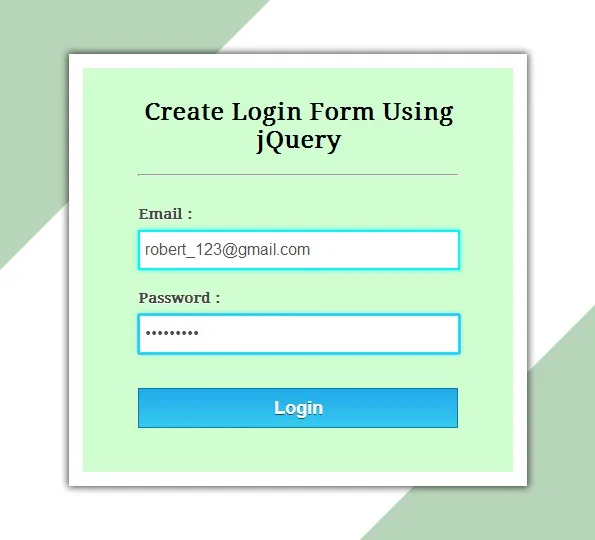
Among many studies conducted to find out just what influences people’s perception of a website’s credibility, one interesting finding is that users really do judge a book by its cover… or rather, a website by its design.
Rapid changes in design trends are driving focus towards its usability. More and more features are being zipped into a plain and simple design for users to get bountiful results without spending more than a jiffy. The back-end coding is the key device to achieve this simplicity in design.
Keeping this mind, I’ve designed a small script to introduce a sliding login box into your website, just as you see in Twitter login page. The script comprises jQuery & CSS techniques to display this arty feature. Checkout the code below and try it yourself or simply download the ready to use files.
HTML
<div id="demo-header">

	<!-- Code for Login Link -->
	<a id="login-link" title="Login" href="#login">Clients Area</a>

	<!-- Code for login panel -->
	<div id="login-panel">
		<form action="" method="post">
			<label>Username: <input type=text name=username value="" /> </label>
			<label>Password: <input type=password name=password value="" /> </label>
			<input type=submit name=submit value="Sign In" /> <small>Press ESC to close</small>
		</form>
	</div>

</div>
CSS
<style type=text/css>

    a{text-decoration:none;}

    #demo-header{
        width: 980px;
        margin: 0 auto;
        position: relative;
    }
    #login-link{
        position: absolute;
        top: 0px;
        right: 0px;
        display: block;
        background: #2a2a2a;
        padding: 5px 15px 5px 15px;
        color: #FFF;
    }
    #login-panel{
        position: absolute;
        top: 26px;
        right: 0px;
        width: 190px;
        padding: 10px 15px 5px 15px;
        background: #2a2a2a;
        font-size: 8pt;
        font-weight: bold;
        color: #FFF;
        display: none;
    }
    label{
        line-height: 1.8;
    }
</style>
jQuery
<script src=//ajax.googleapis.com/ajax/libs/jquery/1.11.0/jquery.min.js></script><script type=text/javascript>
// jQuery to apply actions to the link
$(document).ready(function(){
$("#login-link").click(function(){
$("#login-panel").slideToggle(200);
})
})
//jQuery to apply actions to the ESC key
$(document).keydown(function(e) {
if (e.keyCode == 27) {
$("#login-panel").hide(0);
}
});
</script>












Hi there! Would you mind if I share your blog with my facebook group? There's a lot of people that I think would really appreciate your content. Please let me know. Thank you
Leave a Reply